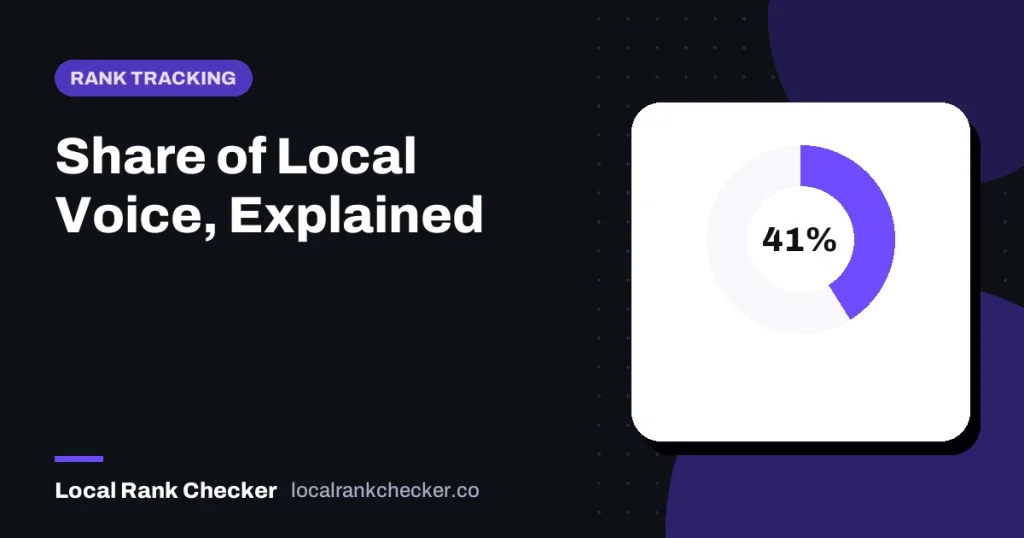

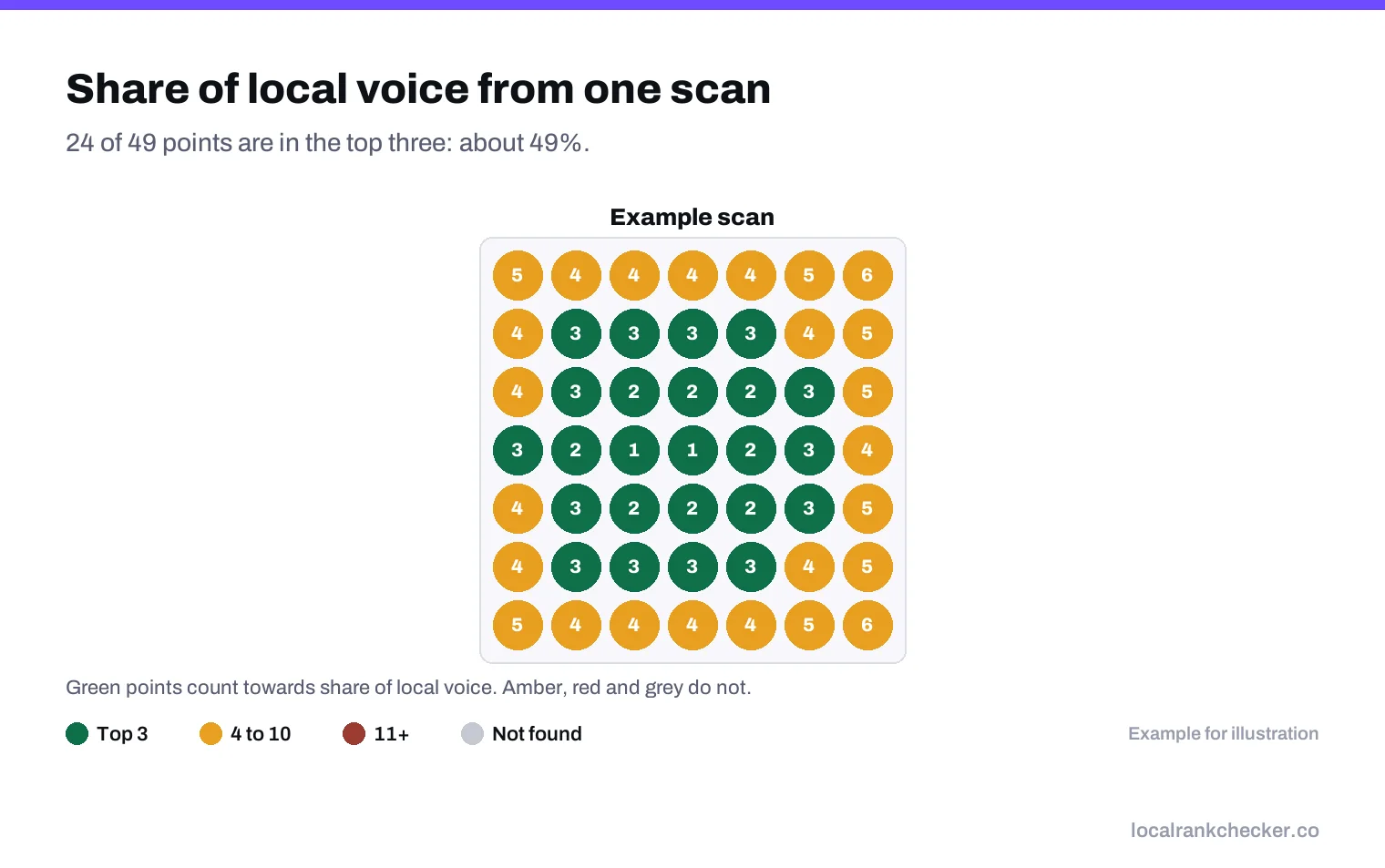
Share of local voice is the percentage of places in your area where your business shows up near the top of the local results for a search. If a grid scan checks 49 points and you appear in the top three at 20 of them, your share of local voice for that search is about 41 percent. It’s a useful single number because it combines how high you rank with how far that ranking reaches, which is what actually decides how many customers see you.
This guide explains how the metric works, how to calculate it, what a good number looks like, and its limits.
Why a single rank number isn’t enough
Local results change with the searcher’s location. Google’s page on local ranking names distance as one of the three main factors. So a business can be first for someone across the street and absent for someone two miles away. Asking “what’s my ranking?” has no single answer.
Most rank trackers solve this with a geo grid: they check the same search from many points and record your position at each. That gives you a lot of numbers. Share of local voice turns them into one.
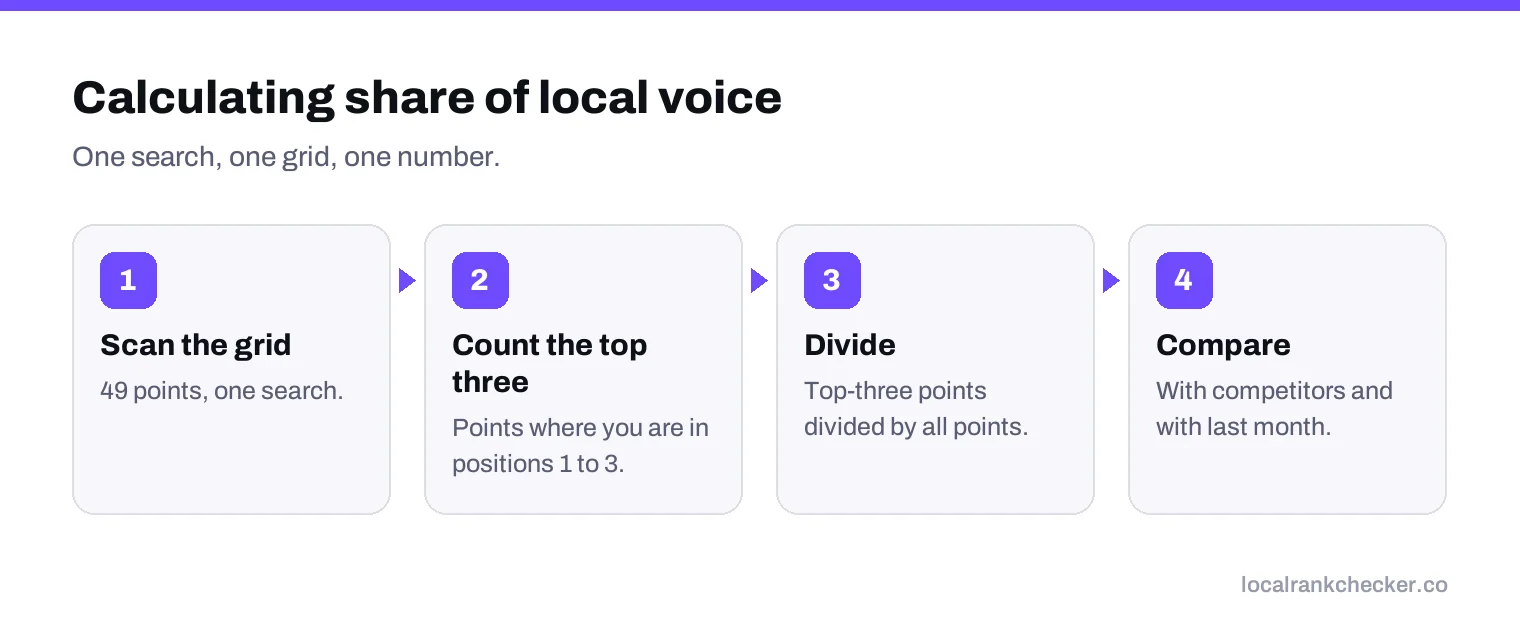
How it’s calculated
The basic version is simple:
- Run a grid scan for one search.
- Count the points where you appear in the top three. The top three matters because that’s what shows in the map pack.
- Divide by the total number of points.
Some tools use a weighted version instead, giving more credit for position 1 than position 3. Others count the top three, others the top ten or twenty. Names vary too. That’s fine, as long as you use the same tool and the same settings every time you compare.
A worked example
| Business | Top 3 points (of 49) | Share of local voice |
|---|---|---|
| You | 20 | 41% |
| Competitor A | 31 | 63% |
| Competitor B | 14 | 29% |
| Competitor C | 9 | 18% |
The percentages add up to more than 100 because three businesses appear at every point. What matters is the comparison. Here, Competitor A is seen across much more of the area than you, even if you sometimes beat them near your own address.
What’s a good share?
There’s no universal target, because it depends on how big your grid is and how crowded your category is. A useful way to think about it:
- Compared with competitors: are you ahead of, level with or behind the businesses you really compete with?
- Compared with last month: is it rising?
- Compared with the grid size: a tight grid around a shop should give a high share. A wide grid across a county will give a lower one, even for a strong business, because distance takes over at the edges.
If you make your grid bigger, your share will usually fall. That doesn’t mean you got worse. It means you’re measuring a bigger area. Change grid size rarely, and note it when you do.
Using it to make decisions
| What you see | What to do |
|---|---|
| Low share on one search, good on others | Check relevance for that search: categories, services, a page on your website. |
| Low share on every search | Work on prominence: reviews, local links, a complete profile. |
| High near you, zero at the edges | Normal distance effect. Decide whether the edges are worth the effort. |
| A competitor’s share jumped | Look at what they changed: reviews, categories, new location. |
Why the top three?
The map pack in Google Search usually shows three businesses before anyone taps for more. That’s where most of the attention goes, so it’s the most useful cut-off for a business owner. If you’re often in positions 4 to 10, track a second version of the metric with a top-ten cut-off too. A rising top-ten share is often the first sign that your top-three share is about to improve.
How to raise your share
- Fix relevance first. If you’re missing from much of the grid for one search, check that your categories and services cover it.
- Grow prominence steadily. Google’s ranking page says the number of reviews and links to your business are part of prominence. Ask every customer for a review, and earn local links.
- Build pages for your main services and towns. A real page about the work helps Google match you to the search.
- Keep the profile active. Regular photos and accurate hours give searchers reasons to choose you when they do see you.
Expect share to rise slowly. Months, not weeks, is normal for real gains.
Track share separately for each of your main searches. A business can hold a large share for its main service and a tiny one for a profitable side service, and an average across both would hide the opportunity.
Limits of the metric
- It treats every point the same. A point in an empty field counts as much as one in a busy neighborhood. Place your grid over the areas where customers actually are.
- It doesn’t measure calls or visits. A higher share should lead to more actions, but check your Business Profile performance report for calls, direction requests and website clicks to confirm it.
- It’s one search at a time. Track a handful of searches and look at all of them.
- Tools calculate it differently. Don’t compare numbers from two different tools.
Reporting it to a client or owner
Share of local voice is easier to explain than a grid of 49 numbers. A simple monthly line works well: “You now show in the top three across 41 percent of your area for ’emergency plumber’, up from 33 percent last month. The main competitor is at 63 percent.” Pair it with one or two actions for the next month. Our guide to monthly local SEO client reports covers the rest of the report.
Where Local Rank Checker fits
Local Rank Checker runs grid scans on a schedule and shows how much of your area you cover for each search, alongside competitors, so you can see your share of the map growing over time. Use the local rank tracker for your own searches and the competitor tracker for side-by-side comparisons. See the pricing, or start a scan.
Frequently asked questions
What is share of local voice?
The percentage of points in your area where you appear in the top local results for a search, usually the top three.
How do I calculate it?
Run a grid scan, count the points where you are in the top three, and divide by the total number of points.
What is a good share of local voice?
It depends on grid size and competition. Compare with competitors and with your own last month.
Why did my share drop when I made my grid bigger?
A bigger grid includes more distant points where distance works against you. Keep grid size the same.
Can I compare share of local voice between tools?
No. Tools calculate it differently. Compare within one tool only.
Sources
The Google documentation behind the guidance on this page. Google changes these pages without notice, so check the date on any figure before you rely on it.