
The keywords to track for local SEO are the five to fifteen searches that bring you paying customers: your main service in plain words, your most profitable services, the “near me” and city versions customers actually use, and one search for your business name. Skip keywords nobody searches, keywords for services you don’t sell, and long lists that create noise. A short, well-chosen list tracked from the right places tells you more than hundreds of keywords tracked badly.
This guide shows how to build that list, where to find the words customers use, and how to group keywords so the results are easy to act on.
Start with what makes you money
Rank tracking costs time and usually money, so spend it on the searches that matter. Before looking at any keyword tool, write down:
- Your three to five most profitable services.
- The services you want more of, even if they’re small today.
- The jobs that come in urgently, where being first matters most.
A roofer might list roof repair, roof replacement and emergency leak repair. A dentist might list emergency dentist, dental implants and teeth whitening. These are your starting points.
Find the words customers use
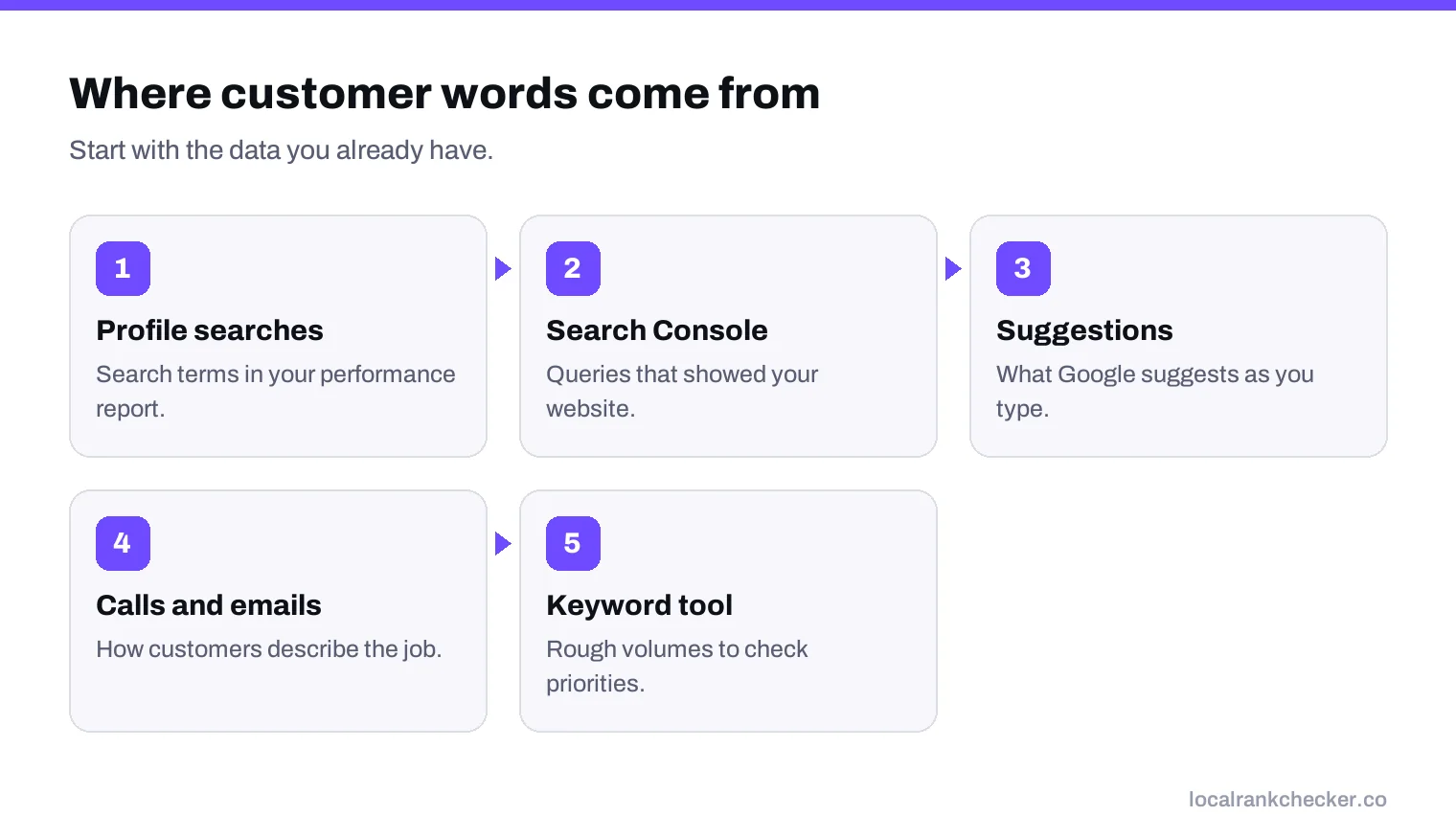
Customers rarely use your industry’s terms. Check these sources for the real words:
- Your Business Profile. The performance report shows the search terms people used to find your profile. This is the best source you have.
- Search Console. The performance report lists the queries that showed your website.
- Google’s search suggestions. Start typing your service and note what Google suggests.
- Your phone calls and emails. How do customers describe what they need?
- A keyword tool for rough search volumes. Our guide to local keyword research covers this step.
The four kinds of keyword to include
| Kind | Example | Why track it |
|---|---|---|
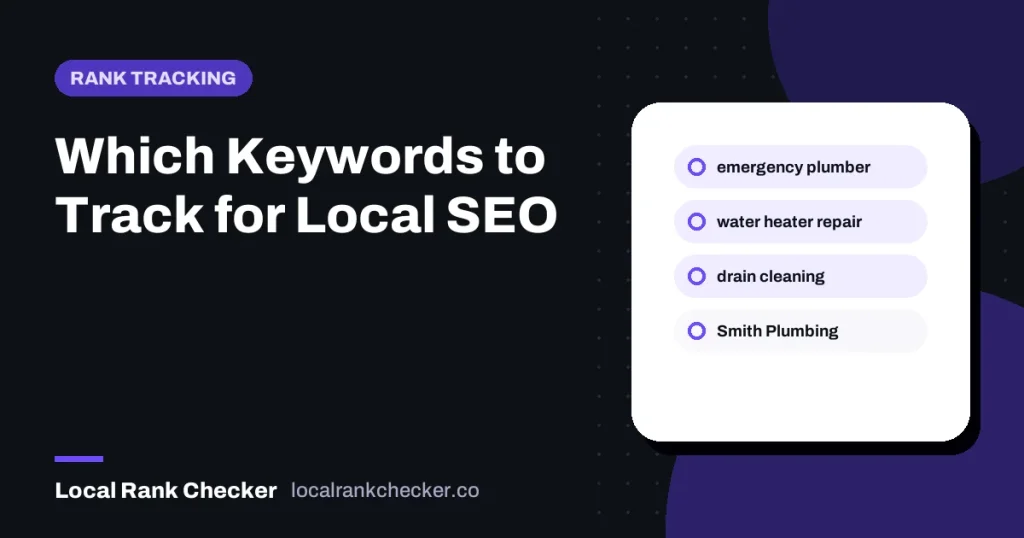
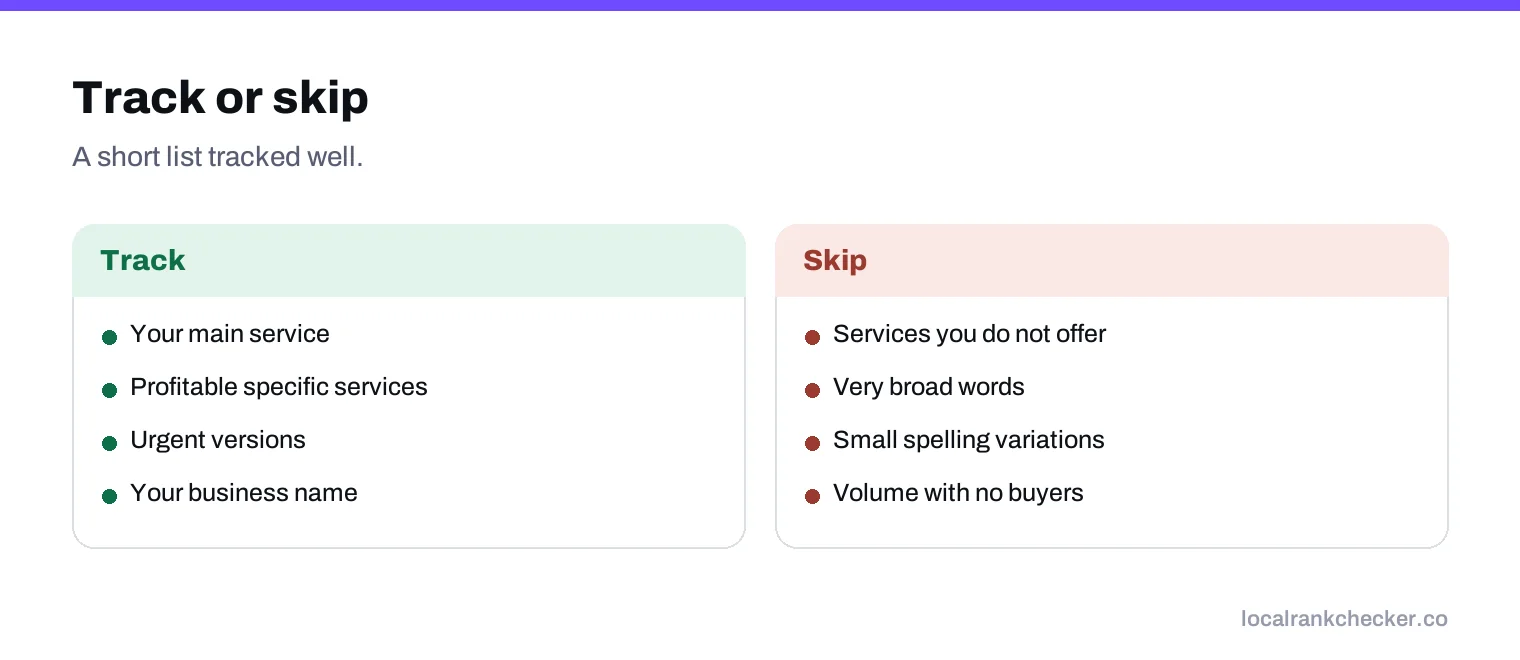
| Main service | “plumber” | Your biggest, most competitive search |
| Specific services | “water heater repair” | Often easier to win, and high intent |
| Urgent versions | “emergency plumber” | Customers call the first one they trust |
| Your business name | “Smith Plumbing” | A warning light. If you drop for your own name, something is wrong. |
“Near me” and city keywords
Customers do type “near me” and city names, but Google already uses the searcher’s location for local results. Its page on local ranking explains that distance is measured from the searcher, using what Google knows about their location if they don’t share it.
In a grid tracker, “plumber” and “plumber near me” from the same point often give similar results, so tracking both can double your cost for little extra insight. Track the plain version as your main keyword, and add the “near me” version only for your single most important service. City keywords such as “plumber Denver” are worth tracking if customers from outside the city search that way, for example people arranging work for a relative’s home.
What not to track
- Services you don’t offer. Ranking for them brings calls you’ll turn away.
- Very broad words like “home” or “repairs”, where intent is unclear.
- Dozens of small variations such as plural and singular, or different word orders. They usually move together.
- Keywords chosen for volume alone. A small search with buyers beats a big one with browsers.
How many keywords?
| Business | Suggested number |
|---|---|
| Single location, few services | 5 to 8 |
| Single location, many services | 8 to 15 |
| Multi-location brand | 3 to 5 core searches per location, the same at every location |
| Agency client | 5 to 10, agreed with the client |
For multi-location brands, using the same searches everywhere makes branches comparable. Our guide to multi-location rank tracking covers that setup.
Example lists
| Business | Keywords to track |
|---|---|
| Dentist | dentist, emergency dentist, dental implants, teeth whitening, Invisalign, practice name |
| Roofer | roofer, roof repair, roof replacement, emergency roof leak, gutter repair, company name |
| Restaurant | main cuisine (such as “thai food”), “restaurant”, takeout or delivery, brunch if you serve it, restaurant name |
| Accountant | accountant, tax preparation, bookkeeping, small business accountant, firm name |
Each list mixes the main service, a few profitable services, an urgent version where one exists, and the business name. Adjust the words to match what your own profile’s search terms show.
Should you track competitor names?
Usually not as keywords. You learn more by tracking where competitors rank for your main searches, from the same points you use for yourself. Searches for a competitor’s name mostly show that competitor, and ranking for them isn’t a realistic goal.
Group keywords so results are easy to read
Group keywords by service. When your water heater group drops while everything else holds, you know where to look: the water heater service on your profile, the water heater page on your website, and competitors who specialize in it. A flat list of fifteen keywords hides that pattern.
A starting template
- Your main service, in the words customers use.
- The urgent version of it, if one exists.
- Your two or three most profitable specific services.
- One service you want to grow.
- Your business name.
That’s six to eight keywords for most businesses, which is plenty to start. Add more only when a new keyword would change a decision you’d make.
Keywords for each location
If you have more than one location, don’t add the town name to every keyword for every branch. Track the same plain searches at each location, from a grid centered on that location. Google already uses the searcher’s position, so “dentist” scanned around your north branch shows how the north branch ranks for local patients there. That keeps your list short and makes branches easy to compare side by side.
Review the list every few months
Your list should change when your business changes. Add keywords when you launch a service, drop ones that never bring work, and check your profile’s search terms each quarter for new words customers are using. Keep the core searches the same, so long-term trends stay readable.
Where Local Rank Checker fits
Local Rank Checker tracks your chosen searches from fixed points across your area, grouped the way you want. Use the local keyword research tool to find candidates, then the keyword rank checker or local rank tracker to follow them. See the pricing, or start a scan with your top five.
Frequently asked questions
How many keywords should a local business track?
Usually 5 to 15, depending on how many services you offer.
Should I track near me keywords?
Track the plain version first. Add a near me version only for your most important service.
Where do I find the keywords customers use?
Your Business Profile performance report shows search terms people used to find you.
Should I track my business name?
Yes, as a warning light. A drop for your own name usually means a profile problem.
How often should I change my keyword list?
Review it every few months, but keep your core searches the same so trends stay readable.
Sources
The Google documentation behind the guidance on this page. Google changes these pages without notice, so check the date on any figure before you rely on it.