

Google Maps ranking fluctuations are normal. Your position for a keyword can move from day to day, and even hour to hour, without anyone touching your profile. Most of that movement comes from four places: where the searcher is standing, what your competitors changed, small adjustments Google makes to its results, and the way you are checking. Only a drop that lasts and shows up across your whole area is worth worrying about.
This guide explains each cause in plain terms, shows how to tell normal noise from a real problem, and gives you a simple way to track Google Maps rankings so the daily wobble stops costing you sleep.
Why the same search gives different answers
Google’s own explanation of how local ranking works names three factors: relevance, distance and prominence. Distance is defined as how far each business is from the person searching, and Google says that if a searcher doesn’t share their location, it uses what it knows about where they are.
That one sentence explains most of the movement people see. Every search starts from a slightly different point. A customer on the east side of town and a customer on the west side are, as far as Google is concerned, asking two different questions. If you check from your phone in the morning at home and from your desktop at the office in the afternoon, you are also asking two different questions.
Google’s help page on how it determines location lists several sources it can use, including the device’s location when it’s shared, home and work addresses saved to the account, past activity, and the IP address of the internet connection. Those sources don’t always agree, which is why two checks from the same desk can still differ.
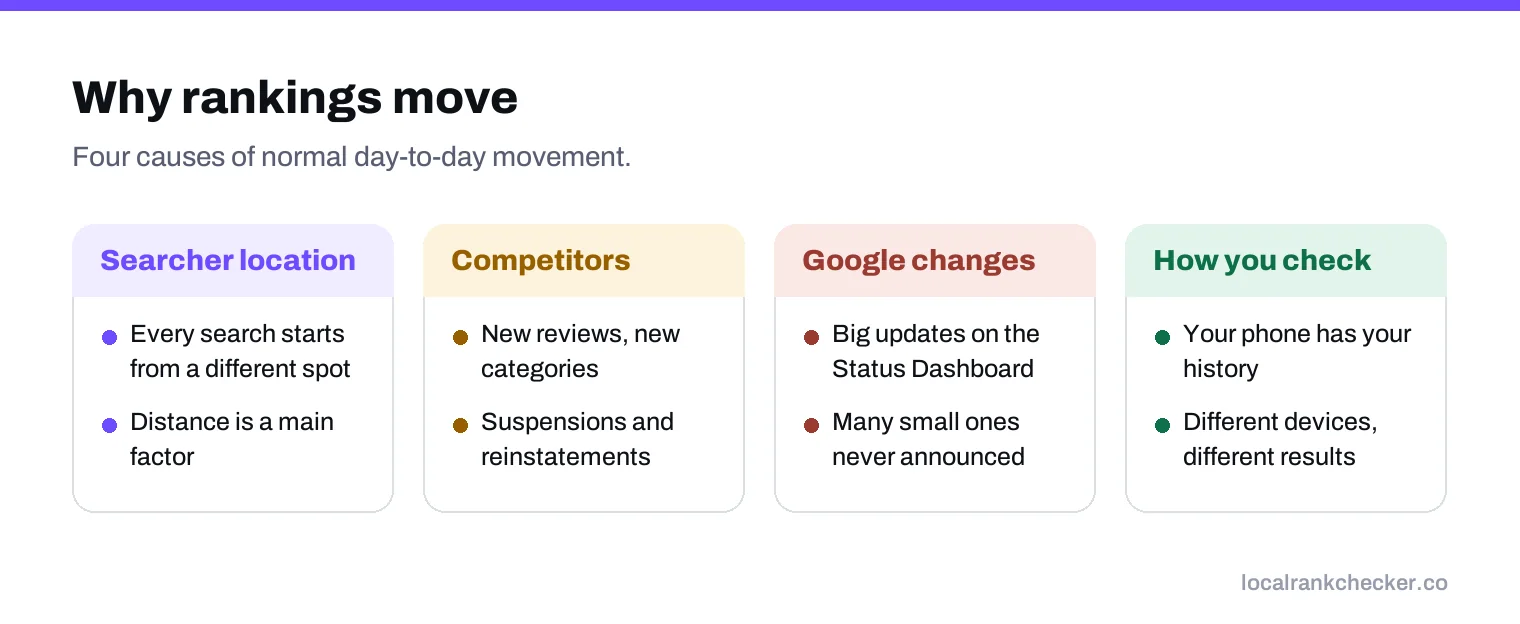
The four causes of normal movement
1. The searcher’s location
This is the biggest one. A few streets can change the order of the local results, especially in a busy category where several businesses sit close together. If your check point moves, your ranking moves.
2. Competitors
Your ranking is relative. When a competitor collects a batch of new reviews, fixes their categories, opens a new location or gets their profile reinstated after a suspension, they can move above you without you doing anything wrong. The reverse also happens. A competitor being suspended can lift you overnight.
3. Google’s own changes
Google adjusts its results constantly. Larger confirmed updates are listed on the Google Search Status Dashboard, but most small changes are never announced. Local results can also change in layout, with the map pack sometimes showing different numbers of results or different features depending on the search.
4. How you check
Searching for yourself from your own phone is the least reliable check there is. Your past searches, your saved places and the fact that you have probably visited your own website many times all shape what you see. Google’s page on how results are ranked says it uses your location, past search history and search settings to decide what’s most relevant for you.
Normal noise versus a real drop
| What you see | Likely meaning |
|---|---|
| One or two places of movement on one keyword | Normal noise. No action needed. |
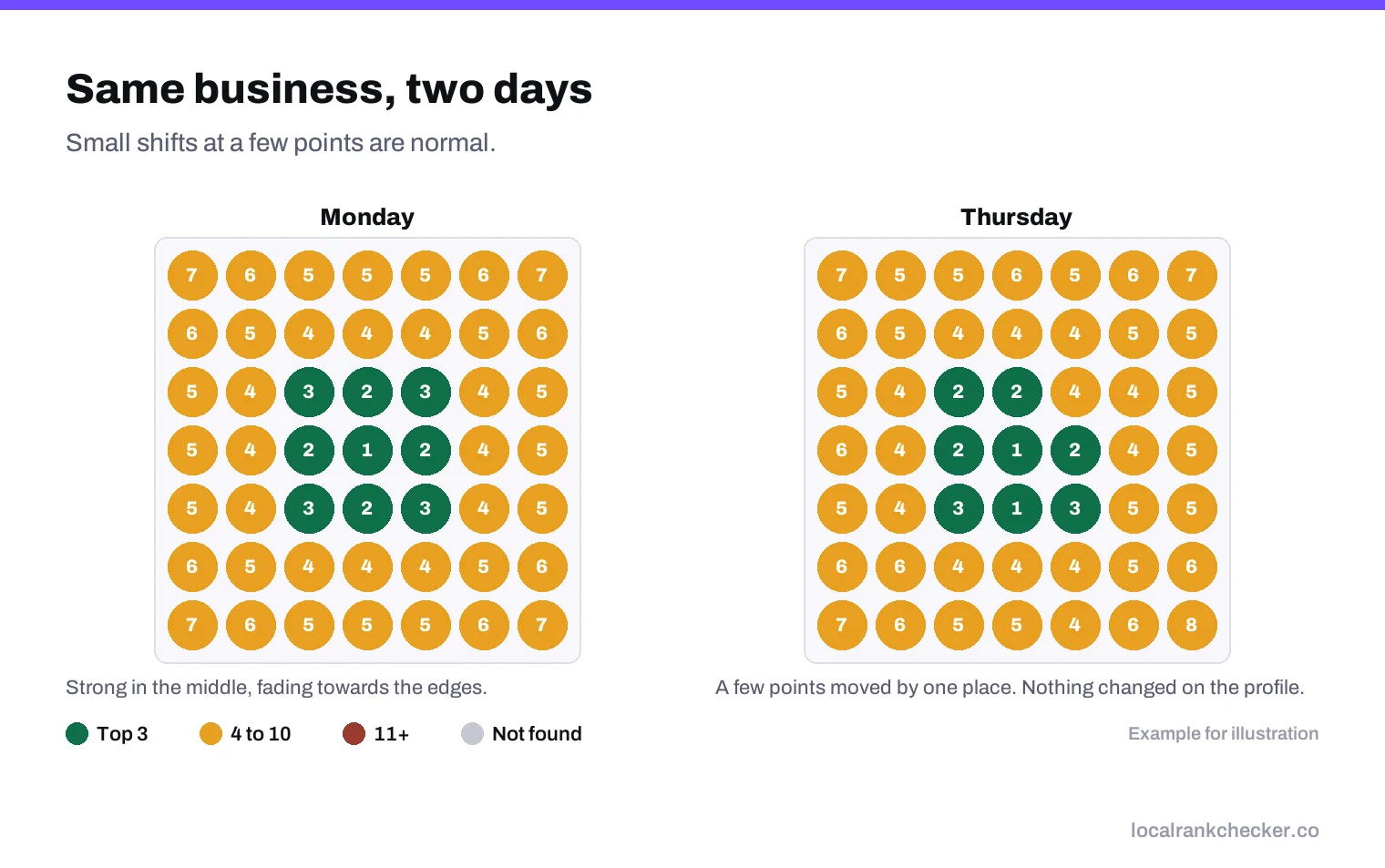
| A drop at the edges of your area, steady in the middle | Usually distance and competitors. Watch the trend. |
| A drop across every point for one keyword | Something changed for that search. Check categories and competitors. |
| A drop across every keyword at once | A real problem. Check the profile for edits, suspension or a lost verification. |
| A drop that recovers within a few days | Temporary. Common after Google changes. |
The pattern matters more than the size. A business that falls from position 2 to position 5 at a few far-away points is in a very different situation from one that disappears from every point on every keyword. If you’re seeing the second pattern, our guide to why a business isn’t showing on Google Maps walks through the checks.
How to track rankings so the noise doesn’t fool you
- Check from fixed points. Use the same set of coordinates every time, so you compare like with like. A geo grid does this automatically.
- Track a short list of keywords. Five to ten searches that actually bring customers are enough. More keywords means more noise to read.
- Look at weekly averages. One day’s result tells you very little. The average across a week or a month shows the real direction.
- Write down every change you make. New categories, new photos, a review campaign, a website change. When the trend moves, you’ll know what happened around the same time.
- Track competitors too. If everyone dropped at the same time, it was probably Google. If only you dropped, look at your own profile.
What not to do when rankings wobble
The most common mistake is reacting to noise. Owners see a bad day, change their business name to add a keyword, switch their primary category, or start editing the profile every few days. Those edits can cause more trouble than the drop itself. Keyword stuffing in the name breaks Google’s guidelines and can lead to suspension, and frequent edits to core details can trigger re-verification.
Other things that don’t help: asking friends to search for you and click, buying reviews, and creating extra profiles at other addresses. None of these is a fix, and some of them put the whole profile at risk.
A simple weekly routine
- Run the same grid scan on the same day each week.
- Compare the average position with last week and last month, not with yesterday.
- Note any competitor that has moved a lot, and look at what changed on their profile.
- Check your profile for edits you didn’t make, which Google and other users can suggest.
- Only act when a drop lasts more than two weeks or shows up across every keyword.
This takes about fifteen minutes a week, and it replaces the anxious daily checking that most owners do with something that actually tells you what’s happening.
Where Local Rank Checker fits
Local Rank Checker runs scheduled grid scans from the same points every time, keeps the history, and shows averages so a single bad day doesn’t look like a crisis. The local rank tracker covers your own keywords, and the competitor tracker shows whether a drop hit everyone or just you.
It won’t stop rankings from moving. Nothing can. What it does is show you which moves matter. See the pricing or start a scan and compare this week against next.
Frequently asked questions
Why does my Google Maps ranking change every day?
Mostly because of the searcher's location, competitor changes, small Google adjustments and differences in how you check.
How much ranking movement is normal?
A place or two on some keywords at some points is normal. A drop across every point and every keyword is not.
Should I change my profile when my ranking drops?
Not after one bad day. Wait for a drop that lasts two weeks or shows across your whole area.
Why do I see different results from my phone?
Google uses your location, past searches and settings, so your own phone is not a fair check.
How should I track rankings to avoid noise?
Check the same keywords from fixed points on a schedule, and compare weekly averages.
Sources
The Google documentation behind the guidance on this page. Google changes these pages without notice, so check the date on any figure before you rely on it.